

The landscape of video production has shifted dramatically in the past few years. What used to require weeks of manual editing, compositing, and motion graphics can now be accelerated with AI-assisted tools. Whether you’re producing social ads, film content, or visual effects, the goal is the same: streamline workflows, reduce bottlenecks, and achieve creative results without endless hours in a classic NLE.
Below is a practical rundown of seven tools that can help with post-production, compositing, and finishing workflows, starting with two standout AI-powered platforms.
1. Pollo AI – All-in-One AI Video Generation & Editing

When you think about reshaping post-production with AI, Pollo AI is one of the most versatile platforms available today. It’s an all-in-one generative AI video suite that lets creators produce compelling visual content without traditional editing pipelines.
Key strengths:
- Text to video AI: Turn briefs and scripts into dynamic video clips in minutes.
- Image to video AI: Perhaps its most powerful post-production feature — static images can be converted into motion footage with natural animation, transitions, and framing. This is a huge time-saver when you want quick compositing or dynamic visuals from product shots or still assets.
- Reference to video AI: Use existing frames or clips as a pattern to generate stylistically cohesive sequences.
- Multi-model access: Users can choose from leading AI engines like Veo 3, Kling AI, Sora, and others directly within the platform.
For teams looking to replace hours of manual post work with generative AI workflows, Pollo AI helps you create polished content without cutting in After Effects or Premiere — ideal for short ads, social clips, and rapid iterations.
2. Pika AI – Fast Text & Image-Generated Clips
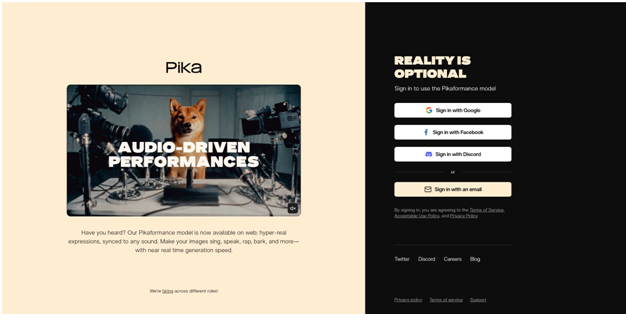
Pika AI is another AI video generator that focuses on short video generation from text and images, allowing quick turnaround for social or promotional content.
It can:
- Animate images into short sequences: Useful when you need simple motion without full editing.
- Generate clips from prompts: Set a textual brief and get a finished clip — great for idea prototyping or quick cuts.
While it doesn’t replace full compositing software, it excels at producing visual assets that can then be assembled in a larger post-production workflow.
3. Adobe After Effects – Industry Standard Compositing
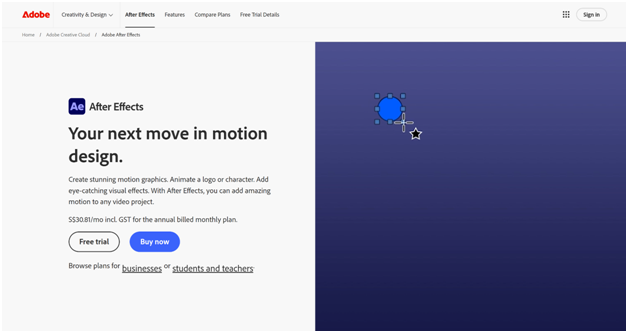
For complex motion graphics, advanced keying, rotoscoping, and layered compositing, Adobe After Effects remains the professional standard. You can integrate AI-assisted plugins to accelerate routine tasks like object removal or motion tracking.
Pros:
- Node-based compositing and deep control over animation.
- Vast ecosystem of third-party plugins.
Cons:
- Still requires manual timeline editing and keyframes.
Best for: VFX work, cinematic titles, and precision compositing.
4. DaVinci Resolve (Fusion) – Professional Mix of Editing + Compositing
DaVinci Resolve includes Fusion, a powerful node-based compositing environment built into a full editing and color workflow. It’s ideal for teams that want a single tool to edit, grade, and composite.
Highlights:
- Full post-production suite with color grading, audio, and effects.
- 3D compositing space with advanced tools.
Best for: Film editors who need end-to-end control.
5. Adobe Premiere Pro – NLE with AI-Powered Workflow Enhancements
While primarily an editor, Premiere Pro integrates AI-assisted tools to automate tasks like speech-to-text editing, scene detection, and more, making it easier to assemble and fine-tune composites before export or VFX hand-off.
Useful for: Rough cuts, multi-camera edits, and integrating AI-generated clips from tools like Pollo AI.
6. Runway – AI-Assisted Editing & Compositing on the Web
Runway has emerged as a cloud-based creative suite that blends generative AI with traditional editing capabilities. It’s particularly useful for background removal, motion tracking, and quick green-screen composites — all powered by AI models that simplify complex tasks.
Why creators like it:
- Cloud-based access with collaborative features.
- No heavy local hardware needed.
Pair it with AI generation tools and you can quickly assemble professional composites without long render queues.
7. LTX Studio – AI-Driven Video Creation with Integrated Controls
LTX Studio is an AI video generation platform focused on scene composition and narrative creation. It lets you generate storyboards, sequences, and integrated camera moves from prompts — a hybrid between ideation and compositing.
Workflows often include:
- Quickly generating concepts.
- Feeding outputs into editing or compositing tools for refinement.
Best for: Previsualization and rough post-production iterations.
Conclusion
AI is no longer a fringe part of video post-production — it’s central to modern workflows. From full generative platforms like Pollo AI, where you can generate clip sequences directly from images or text, to traditional compositing engines like After Effects and Resolve, today’s tools offer a spectrum of capabilities.
- For fast turnarounds and dynamic social content: AI platforms (Pollo AI, Hailuo AI) can be your primary engines.
- For refined VFX and polished deliveries: Professional compositors (After Effects, Fusion) remain indispensable.
- For inline editing and assembly: NLEs like Premiere Pro or cloud services like Runway give you the connective tissue between generation and final production.
Adopting a hybrid workflow — AI generation for speed and human-driven compositing for precision — often yields the best results in 2026 and beyond.