

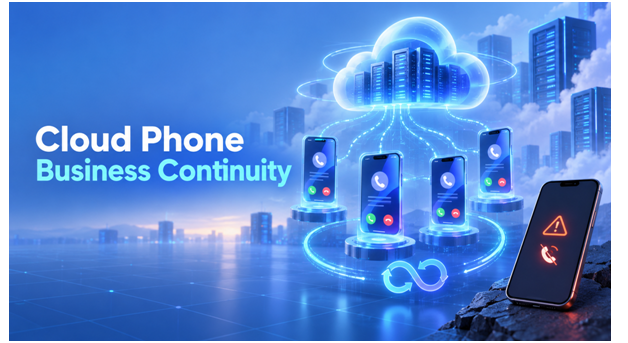
Mobile operations can be interrupted by ordinary events. A phone stops working, an employee becomes unavailable, a proxy fails, an app update behaves unexpectedly, or an automated task produces the wrong result. When accounts and working environments live on scattered physical devices, recovery often depends on finding the right handset and the one person who understands its setup.
Business continuity is the discipline of preparing for those interruptions before they happen. For a mobile team, that means knowing which environments are critical, who may access them, how applications and files are restored, what settings must remain consistent, and how work is transferred when the usual operator cannot continue.
A Cloud Phone can make this plan easier to execute because the Android environment is hosted remotely rather than tied to one desk or employee. MoreLogin Cloud Phone adds persistent ARM-based Android environments, remote access, groups, tags, team permissions, proxy management, app and file workflows, synchronization, RPA, APIs, and ADB support. The technology provides a foundation, while the continuity plan defines how the team should use it.
What Business Continuity Means for Mobile Operations
Continuity does not mean that every interruption can be prevented. It means the organization can identify a problem, limit its impact, choose a safe recovery action, and return to approved work without improvising from scratch. The objective is controlled recovery, not uninterrupted activity at any cost.
A useful mobile continuity plan covers five areas:
- Availability: approved operators can reach critical Android environments when normal working arrangements fail.
- Configuration: the team knows which apps, files, proxy settings, and device policies belong to each environment.
- Ownership: every environment has an operational owner, a backup owner, and an escalation route.
- Recovery: common incidents have documented actions, decision points, and stopping conditions.
- Accountability: access changes, emergency actions, and automation decisions are recorded and reviewed.
Why Physical and Local Setups Slow Recovery
The working environment is attached to hardware
A physical phone may contain the correct app versions, account sessions, authentication tools, and media files, but those resources are useful only while the device is available. Damage, power issues, travel, or a locked office can remove the environment from the team precisely when it is most needed.
Knowledge is concentrated in one operator
Teams often document account credentials but overlook operational context. The regular operator may be the only person who knows which proxy is assigned, which content is approved, which task is scheduled, or why an app was configured in a particular way. Replacing the person without preserving the environment and its records creates a second disruption.
Rebuilding introduces new variables
Creating a replacement environment during an incident can produce different app versions, missing files, incorrect network settings, and unclear permissions. Each hurried decision adds uncertainty. A persistent Cloud Phone workspace can reduce the need to recreate a working setup on an unfamiliar local device.
How to Prepare a Cloud Phone Continuity Plan
1. Classify environments by business impact
Not every cloud phone requires the same recovery priority. Identify which environments support active customer service, scheduled campaigns, revenue-generating workflows, authentication, testing, or internal administration. Assign a priority level and define the maximum acceptable pause for each category. This prevents the team from treating a low-impact test device like a critical production environment.
2. Build an inventory people can understand
Use a consistent naming format that shows the brand or client, market, channel, purpose, and status. Groups can separate business units or customers, while tags can indicate criticality, owner, campaign, language, or recovery state. MoreLogin supports groups and tags for cloud phones, helping administrators find the correct environment without opening devices one by one.
Keep a separate operating record with the owner, backup owner, approved proxy, required apps, asset source, automation status, and escalation contact. The workspace and the record should use matching names.
3. Define primary and emergency access
Routine access should follow job responsibility. A backup operator does not necessarily need permanent access to every environment, but the organization should know who can grant it during an incident. Document the approval path, the conditions for emergency access, and the process for revoking temporary permissions afterward.
MoreLogin allows administrators to assign, restrict, and revoke member access to selected cloud phones. This supports continuity without requiring teams to share a single password broadly or leave former employees connected to operational assets.
4. Record a network baseline
For each critical environment, record the approved proxy configuration, responsible provider, intended region, change authority, and failure procedure. A network incident should not trigger random switching between proxies. The replacement must fit the authorized use case and the rules of the relevant platform. MoreLogin supports adding and managing proxy configurations for cloud phones and can configure regional device details according to the added IP.
5. Standardize applications and files
Maintain an approved application list and identify where current APKs, media, documents, and templates are stored. Determine which files are essential for immediate recovery and which can wait. MoreLogin supports batch app operations and bulk uploads, while its Cloud Phone APIs include app and file management. A defined source of truth helps the replacement operator avoid outdated creative or unapproved software.
6. Document automation dependencies
List every active RPA workflow, scheduled task, API integration, and ADB-based process connected to a critical environment. Record its owner, expected result, credentials location, alert route, and safe stopping procedure. An automated task that continues during an incident may amplify the problem, so the team needs to know how to pause it before attempting recovery.
A Practical Cloud Phone Incident Playbook
When the regular operator is unavailable
Confirm that the absence is operational rather than an account-security event. Assign the backup owner, grant only the required cloud phone access, review the current task record, and continue from the existing environment. After normal ownership returns, remove temporary permissions and document any changes made during the handover.
When a proxy or network path fails
Pause sensitive actions and determine whether the issue affects one environment, one provider, or a wider region. Compare the live configuration with the approved baseline. If a replacement is authorized, apply it through the controlled change process and verify basic connectivity before resuming work. Record the reason, approver, time of change, and rollback option.
When an application update causes problems
Stop batch deployment, isolate the affected devices, and preserve enough information to reproduce the issue. Check whether the problem comes from the app version, Android environment, network, permissions, or automation. Resume broader rollout only after the tested remedy succeeds on a limited scope.
When automation behaves unexpectedly
Stop the relevant task, identify which environments and actions were affected, and shift to supervised manual operation if it is safe and necessary. Review inputs, schedules, permissions, and expected outputs before restarting. Do not reactivate automation simply because the immediate symptom disappears.
When capacity must increase quickly
Use the documented environment template and naming rules to add capacity in a controlled way. MoreLogin’s Cloud Phone API can create, start, stop, modify, and organize cloud phone instances programmatically. New capacity should still receive an owner, approved network configuration, access policy, app baseline, and retirement plan.
Test the Plan Before a Real Incident
A continuity document is only a hypothesis until the team tests it. Run a small exercise in which the primary operator becomes unavailable, a proxy must be replaced, or an automation is paused. Ask a backup teammate to locate the correct environment, obtain access, confirm its baseline, complete a harmless task, and record the result.
Measure how long identification, approval, access, verification, and recovery take. Note where the operator needed undocumented knowledge. The most valuable outcome is not a perfect drill; it is a list of missing information and unclear decisions that can be fixed before a real disruption.
Where MoreLogin Fits
The MoreLogin platform gives mobile teams a centralized way to organize and remotely access cloud Android environments. Its real ARM-based Cloud Phones, groups, tags, permission controls, proxy management, app and file workflows, synchronizer, RPA, scheduled tasks, APIs, and ADB support address many of the technical building blocks required by a continuity plan.
The combination is particularly useful when a team needs both manual recovery and structured automation. An operator can access an assigned environment remotely, while technical teams can use the Open API for server-to-server cloud phone management or the Local API for workflows running with the desktop client. Critical actions should still follow internal approvals and platform rules.
Compliance and Data Handling Still Apply
Business continuity is not a reason to bypass account controls, platform terms, privacy obligations, or client agreements. Teams should operate only authorized accounts, protect credentials and personal data, restrict emergency access, and retain incident records according to policy. Recovery actions should restore legitimate work without creating new compliance risk.
Final Takeaway
A resilient mobile operation is not one that never encounters trouble. It is one that knows what matters, who is responsible, how to recover, and when to stop. A structured Cloud Phone workspace can keep critical Android environments accessible and organized while the continuity plan supplies the decisions and accountability around them.
Teams ready to prepare for device, network, staffing, or automation disruptions can create a MoreLogin account and test a small continuity workflow before expanding it across critical mobile operations.