

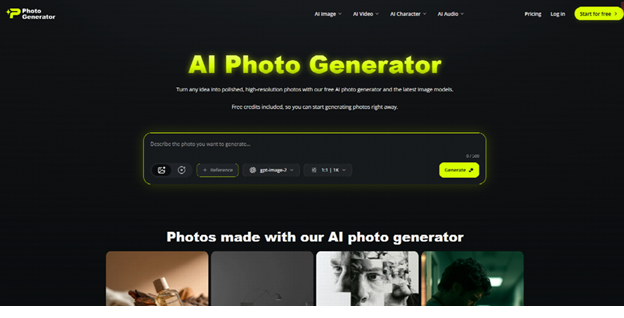
Anime-style image creation is no longer a niche hobby workflow. It has become part of how creators, marketers, and solo builders explore character design, visual branding, and fast concept art. For anyone evaluating PhotoGenerator, the main question is not whether it can make anime images at all, but whether it can do so in a way that stays usable, consistent, and flexible across real projects.
This piece takes a workflow-optimization angle from an AI researcher’s point of view. The core argument is that an AI Photo Generator becomes truly useful for anime-style work when it can move between realism, stylization, and iteration without forcing the user into a rigid creative path.
Why anime generation is different
Style consistency matters more than raw novelty
Anime-style output is judged differently from general image generation. In many cases, the goal is not photorealism alone but a stable visual identity: clear eyes, clean line sense, balanced hair detail, and an overall look that feels intentional. If the model changes style too much from one generation to the next, the result becomes hard to use in a series or character set.
That is why the “best” output is often the one that is easiest to repeat. A good anime generator should help users maintain a coherent look across multiple versions of the same character, especially when they are building profile art, story assets, or social visuals.
The market is moving toward repeated creative use
McKinsey’s 2025 State of AI report found that 88% of organizations now use AI in at least one business function. That is not an anime-specific statistic, but it matters because it shows how normal it has become to rely on AI inside everyday workflows. Creative teams now expect tools to support repeated usage, not just one-off experiments.
For anime-style production, that means the bar is higher. Users want fast output, but they also want enough control to keep a character recognizable across multiple images and formats.
Where PhotoGenerator fits
It works as a flexible bridge, not a narrow anime-only tool
PhotoGenerator is useful because it is not locked into one style category. It supports text-to-image, image editing, restyling, and model variety, which means users can move from realistic portraits into anime-inspired interpretations without jumping between separate tools.
This flexibility is important for creators who do not want a pure anime engine with limited downstream use. If someone starts with a selfie, a cosplay photo, or a character reference, PhotoGenerator can help convert that source into a stylized image while still keeping the workflow manageable. In practice, that makes it a practical AI Photo Generator for hybrid creative work.
It is more useful when realism and anime meet
A lot of anime workflows are not fully stylized from the beginning. They start with a real face, a live-action pose, or a costume reference, then move toward anime treatment. PhotoGenerator is strongest in those transition cases, because it lets users keep useful structure from the original image while shifting the style layer.
That makes it especially relevant for creators who want visual identity, not just novelty art. If you are building a character page, a channel avatar, or a branded mascot, the image needs to feel coherent enough to reuse.
A practical workflow for anime-style use
Start from character intent, not just a prompt
The quality of anime-style output depends heavily on how clearly the user defines the character. Before generating anything, it helps to separate the concept into a few layers:
- Face type and expression.
- Hair silhouette and color range.
- Clothing or costume tone.
- Mood and environment.
This matters because anime visuals are extremely sensitive to shape language. A small change in eye shape or lighting can shift the entire feeling of the character. If the input is too vague, the result tends to look generic rather than designed.
Use reference-based generation when possible
For users who already have a character sketch, cosplay photo, or portrait, reference-based editing is usually the better route. It reduces the chance of losing identity during generation and makes the output more repeatable.
That is one reason PhotoGenerator can fit anime workflows well. It is not just a novelty image maker. It can function as a restyling layer on top of an existing visual idea, which is often more useful than trying to create everything from text alone.
Build for reuse, not one-off display
Anime portraits are often reused as avatars, cards, banners, or scene inserts. That means the output should be judged at multiple sizes and across different contexts. A polished image that breaks when cropped is not very useful.
The best workflow is to create a main portrait first, then test how it behaves in tighter crops or lower-resolution placements. This makes the image more practical for creators who publish across platforms.
What the data suggests about adoption
AI creative tools are now part of normal production
The broader adoption data helps explain why anime-style generators are becoming more common. Deloitte’s 2024 generative AI research reported that 79% of organizations were already using or planning to use generative AI in at least one business function [Deloitte, 2024]. That suggests creative AI has crossed the threshold from “experimental” to “expected.”
For anime-style users, that shift matters because it changes behavior. People are less interested in testing random prompts and more interested in dependable workflows that save time across repeated projects.
Style variety is now a selection criterion
When users compare tools, they are not only asking which one can make anime art. They are asking whether the tool can handle different tonal needs: cute, cinematic, serious, futuristic, or fantasy. That is especially relevant for creators who make content around gaming, streaming, fandom, or character design.
This is where an AI photo generator with broader style flexibility tends to outperform a narrow anime-only utility. It gives users room to explore while still keeping production under control.
Real-world creator scenario
A streamer building a channel identity
Imagine a streamer who wants an anime-style profile image, a matching banner, and a set of social assets for a launch week. They do not need a full illustration pipeline. They need speed, consistency, and enough style control to keep the look aligned across all three deliverables.
In that case, PhotoGenerator can serve as a quick concept engine for the visual identity. The streamer can test multiple portraits, pick one with the strongest expression, and then reuse that style direction for banners and post graphics. That workflow is faster than commissioning separate assets while still producing something that feels brand-specific.
Final view
PhotoGenerator is best understood as a flexible visual system rather than a one-trick anime app. For anime-style portrait work, that is a strength, not a limitation, because most real users need more than one image type and more than one style outcome.
From a research-oriented perspective, the main takeaway is that the useful AI photo generator is the one that supports repeatable creative decisions. In anime workflows, repeatability often matters more than flashy output, because the image has to function as part of a character identity, a channel brand, or a recurring content system.