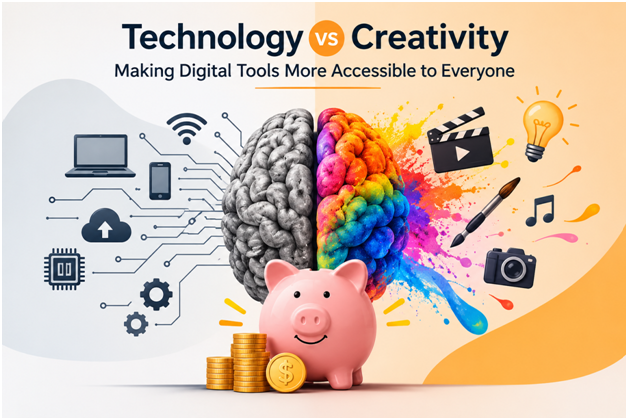
You no longer need a studio budget to make something that looks like it came from one.
There was a time when making a good video meant owning a good budget. Professional software was expensive, powerful computers were rare, and the skills took years to learn. Today, a teacher can record a lesson on a laptop, a small business can cut a promo between customers, and a family can turn a shoebox of memories into a film, all without a studio or a design degree.
Creativity has never been more within reach. But with every new app, plan and subscription comes a quieter question: what is actually worth paying for? This guide looks at how today’s creators are getting professional-looking results with free tools, one-time licenses and smart choices, and how you can do the same without letting the monthly bills pile up.
The Kitchen-Table Studio
Picture a secondary school teacher in Valencia recording a lesson, a café owner in Bilbao cutting a thirty-second promo between lunch rushes, or a grandfather turning forty years of holiday footage into a film for his grandchildren. None of them owns a studio. All of them are making video, and the barrier that once kept them out has mostly come down.
What has not gone away is the cost question. Every new creator runs into it sooner or later.
The Subscription That Never Sleeps
The trouble with software subscriptions is that they never announce themselves. A small charge appears every month, and a year later you are still paying for tools you opened twice.
Professional suites such as Adobe Premiere Pro are built for full-time editors, and for them the cost is a normal part of doing business. For a student, a freelancer starting out or a weekend creator, the same model can be hard to justify. The good news is that you rarely need it.
The Free Giant
If there is a surprise in this market, it is DaVinci Resolve. Its free version has no expiry date and no watermark, and it handles Ultra HD footage at up to 60 frames per second. Professionals use it to colour-grade films.
Want more? Its paid Studio edition is a one-time purchase rather than a subscription. Pay once, and the bill is closed.
The catch is the learning curve. Resolve rewards patience, and it can feel intimidating on day one.
Built for the Scroll
Not everyone wants a film-grade tool. If your work lives on Reels, TikTok and Shorts, speed matters more than depth, and that is where CapCut shines. It offers a free plan with the basics covered, and paid tiers are there if you outgrow it. Microsoft’s Clipchamp takes a similar approach right in the browser, with a free tier that is enough for simple projects.
For many people, these free tiers are the whole story. Use them until they actually get in your way.
Edit Video Like You Edit a Document
Some of the smartest tools change how you work, not just what you pay. Descript lets you edit footage by editing the transcript: delete a sentence from the text, and it disappears from the video. That makes it a favourite for podcasts, interviews and tutorials, and a real time-saver for anyone who talks to the camera.
The Middle Path
Between the free giants and the professional suites sits a tool built for people who want good results without the homework: Filmora.
Its appeal is simplicity. It is guided and template-friendly, and it offers both subscription plans and a perpetual license. Reviewers consistently point to the perpetual license and a gentler learning curve than Premiere Pro as its main strengths.
A word of caution, though. One review notes that some buyers of earlier “lifetime” licenses were later asked for an annual fee when a major new version arrived. The lesson applies to any software: read the license terms before you pay.
If Filmora sounds right for you, check for promotions before paying the full sticker price. Coupon sites keep running lists of current and past offers, and Kayipro’s Filmora voucher page is one place to look for student deals and seasonal discounts. Offers change often, so confirm what is live and what it covers before you buy.
Pick the Right Pricing Model, Not Just the Right Tool
It is often more fruitful to grasp the charging structure of a tool than the tool itself.
Besides:
Mode of operation:
Free at the basic level – good for beginners and one-time projects
One-time purchase – good for those who do not want annual payments
Subscription – good for those who use a tool often and need to make the most out of it
A choice will depend on frequency of making any edits. Someone who edits one video a month will likely not require the same plan as the one who makes at least one video day.
Half the Film Is Sound
Ask any editor and they will tell you that audio makes or breaks a video. A strong soundtrack can lift a plain clip, and a poor one can sink beautiful footage. Audio has its own costs too: stock libraries, streaming subscriptions and editing tools.
The good news is that you can keep these costs low as well. Free editors such as Audacity handle trimming, noise reduction and mixing, and royalty-free music libraries keep your public videos clear of licensing trouble.
Hunt for the Deal Before You Buy
A habit that separates careful buyers from everyone else is simple: they never pay the first price they see. Student pricing, seasonal sales and partner codes can take a meaningful bite out of a software bill, and a few minutes of searching is often all it takes.
Deal aggregators such as Kayipro collect coupons and promotions from a wide range of online stores, including software and creative tools. The site itself is upfront that it cannot guarantee every offer will work, since these are third-party promotions, so treat codes as a bonus rather than a promise. Copy the code, apply it at checkout, and if it fails, you have lost nothing but a minute.
Six Habits of Smart Creators
Creators who keep costs low tend to share a few habits.
- They start free and upgrade only when a tool genuinely holds them back.
- They compare yearly costs, not monthly ones, because small fees add up fast.
- They look at one-time licenses, but read the upgrade terms.
- They hunt for discounts, such as student pricing, seasonal sales and partner codes.
- They match the tool to the output, since a Reel does not need a Hollywood colour suite.
- They audit their subscriptions twice a year and cancel anything they have not opened.
More Than a Price Tag
“Accessible” is about more than money. Browser-based editors, mobile apps, AI-assisted features and ready-made templates have lowered the technical barrier for people without powerful hardware or formal training. Together with generous free tiers, they have opened creative work to far more people than the industry once imagined.
The Bottom Line
The best creative tool is not the most expensive one. It is the one that fits your project, your skills and your budget. Start free, upgrade only when you hit a real limit, and take a discount when one is on offer. Technology has made creativity more accessible. Smart choices keep it affordable.