

The summer content calendar hit my desk in early May, and it demanded 28 unique visuals for social media, blog headers, and email banners. I’ve been dabbling with AI image tools for over a year, but this was the first time I needed one to behave like a reliable colleague, not a moody artist. I committed to a full month of daily generation using an AI Image Maker alongside five other well‑known platforms: Adobe Firefly, Leonardo AI, Freepik AI, Midjourney, and DALL‑E. The goal wasn’t to find the single best image I could wring out of each; it was to see which tool could sustain a real production pace without making me want to delete my account by week two.
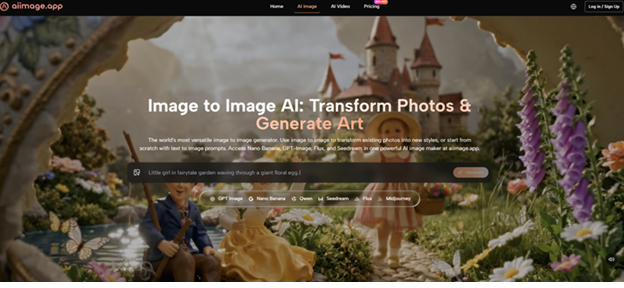
Each morning I’d open my prompt queue—a mix of product mockups, inspirational quote cards, event teasers, and light lifestyle imagery—and push the same concept through every tool I hadn’t yet abandoned out of frustration. I logged the number of prompt rewrites needed to get a usable result, whether the tool remembered my previous generations, how fast I could retrieve an image I’d made three days ago, and whether the interface introduced any friction that accumulated into genuine resentment. Some tools felt like a sprint; I needed a marathon runner.
Adobe Firefly’s integration with Photoshop promised seamless creativity, and when it worked, the results looked polished, especially for product shots with controlled lighting. But I hit generation limits faster than expected, and the constant license reminders inside the Creative Cloud ecosystem added a layer of administrative fog that I didn’t want at 8 a.m. Leonardo AI offered a rich array of fine‑tuned models and a community feed that sparked ideas, but its consistency wobbled; the same prompt run twice an hour apart could yield dramatically different compositions, which ate into my schedule when I needed uniform visuals for a carousel post. Freepik AI, tightly coupled with its stock asset library, delivered clean, on‑brand illustrations quickly, yet its style range felt narrower, and I often caught myself settling for an output that was “good enough” rather than exactly what I’d envisioned.
Midjourney’s Discord‑based workflow became a time tax. Typing /imagine, scrolling through a torrent of other people’s generations, and then hunting for my own results in a crowded channel felt chaotic after the first week. The image quality was often stunning—Midjourney still produces textures and lighting that can stop a scroll—but the retrieval process was a mess. I’d generate a perfect hero image on a Tuesday and spend five minutes on Friday trying to find it again. That friction added up over a month. DALL‑E via ChatGPT was quick and conversational, but its outputs tended toward a slightly synthetic sheen, and the lack of a dedicated image library meant I kept a messy folder of screenshots.
By day ten, I noticed I was opening ToImage AI first, not out of enthusiasm but out of a quiet calculation that it would cost me the least amount of emotional energy. The model I relied on most was GPT Image 2, which ToImage AI describes as geared toward structured, detailed output. In practice, that meant my product photos rarely suffered from warped labels, my quote cards emerged with clean typographic‑like layouts, and even my more atmospheric prompts returned images with a considered composition instead of random focal points. The consistency wasn’t perfect—no model is—but it was predictable, and predictability is its own form of speed when you’re creating at volume.
Here’s how the tools stacked up after a month of daily use, rated on factors that reflect sustained production work:
| Platform | Image Quality Consistency | Generation Speed | Prompt Refinement Ease | Image History & Retrieval | Interface Calmness | Overall Score |
| ToImage AI | 8.5 | 7.5 | 8.8 | 9.0 | 9.2 | 8.7 |
| Adobe Firefly | 8.8 | 7.0 | 7.5 | 7.0 | 7.5 | 7.8 |
| Leonardo AI | 8.0 | 8.0 | 7.8 | 7.5 | 7.0 | 7.7 |
| Freepik AI | 7.8 | 8.5 | 7.0 | 7.5 | 8.0 | 7.6 |
| Midjourney | 9.2 | 7.0 | 7.0 | 5.0 | 5.5 | 7.5 |
| DALL‑E | 7.5 | 8.5 | 8.0 | 4.0 | 8.0 | 7.3 |
Image Quality Consistency measures how similar two runs of the same prompt would look in terms of composition and detail; Prompt Refinement Ease captures how quickly I could tweak a prompt to fix a flaw without starting over; Image History & Retrieval reflects the tool’s ability to store and surface past generations. ToImage AI’s lead came from being the most well‑rounded for daily output—not the absolute best in any single column, but the platform that caused the fewest moments where I audibly sighed.

The Subtle Wear of Daily Generation
What surprised me most was how much the non‑generation elements affected my perception of the AI’s intelligence. A brilliant image that took four extra clicks to download felt less brilliant by the twentieth iteration.
When Image History Becomes a Lifeline
I didn’t realize how much I relied on a clean image gallery until I had to recreate a visual I’d made for a previous week’s promotion. With ToImage AI, I scrolled back through a chronologically ordered feed and found it in seconds. On Midjourney, I had to visit a website, log in, search through a grid, and still wasn’t sure if I’d saved the right version. That retrieval friction turned a 30‑second task into a 5‑minute detour, repeated daily. For anyone producing content at scale, the archive matters as much as the creation.
How ToImage AI Fits Into a Daily Content Flow
My typical morning routine settled into a rhythm that I’ll break down, because the workflow itself became a reason to stick with the tool.
- Draft the prompt based on the content calendar entry, always including style notes like “soft lifestyle photography, natural light” or “flat vector illustration, muted palette.”
- Upload a reference image when I wanted to match an existing brand visual; the image‑to‑image feature helped maintain a consistent look across posts.
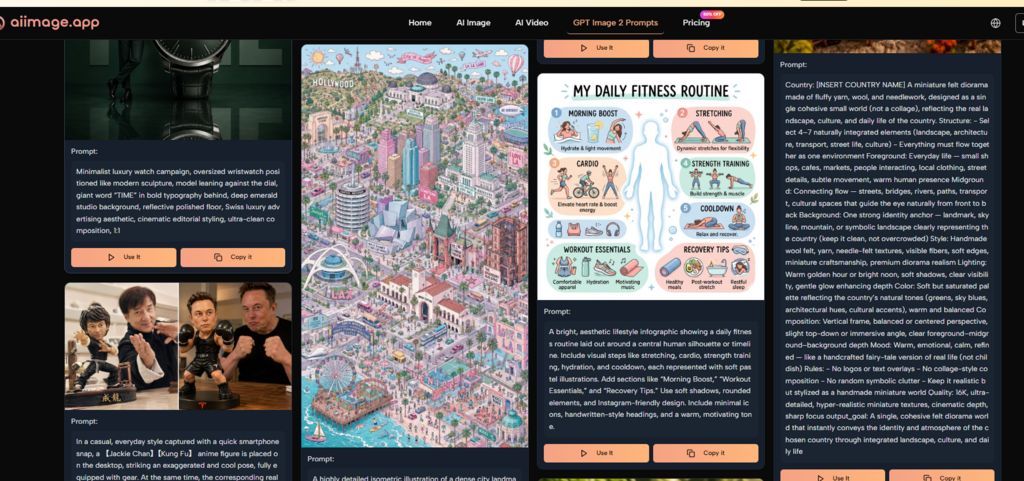
- Choose GPT Image 2 from the model selector, since I found it produced the most layout‑conscious results for marketing collateral.
- Generate and save. I’d download the image directly into my project folder, and ToImage AI automatically kept a copy in its cloud gallery, so I never lost a version.
The whole process rarely took more than a couple of minutes. That might sound trivial, but when you multiply those minutes by four or five prompts a day across a month, the cumulative time savings over less streamlined tools were substantial.
Who Shouldn’t Expect Miracles
ToImage AI isn’t a universal upgrade. Its image‑to‑video output, while present, isn’t yet a replacement for a dedicated motion graphics workflow; the clips I generated were social‑media‑friendly but lacked the frame‑to‑frame coherence of something like Runway or Pika. If you need 8K hyper‑realism for print campaigns, Adobe Firefly’s latest model might still edge it out in fine texture detail. And if your brand identity depends on wildly experimental artistic styles, Midjourney’s extensive aesthetic range and community prompt‑crafting remain unmatched. ToImage AI’s sweet spot is the broad middle of content production: social media managers, email marketers, e‑commerce operators, and small design teams who need a dependable visual generator that doesn’t add cognitive load.
The Tool That Stopped Being an Experiment
After 30 days, the highest praise I can give ToImage AI is that it became invisible in my workflow—in the best way. I stopped thinking about AI as a novelty and started treating it as I would a stock photo library or a template pack. The images landed in my folders on time, looked consistent, and didn’t come with strings attached. In a content landscape that already feels relentlessly demanding, that kind of quiet dependability is what keeps me from burning out.