
As 3D printing moves into homes, classrooms, studios, and small production environments, users are looking beyond speed and build volume. They also want an easier way to check progress, organize devices, and respond when a print needs attention.
This shift is making Mobile Software an important part of the modern 3D Printer experience. Instead of relying only on a computer or standing beside the machine, users can stay connected through a phone or tablet.
Why Traditional 3D Printer Management Needs an Upgrade
Traditional management may suit occasional projects, but its limitations become clearer as print times and workloads increase.
Limited Access During Long Print Jobs
Many prints run for hours or continue overnight. Users may need to return repeatedly just to confirm that the job is progressing normally. This interrupts other work and makes remote supervision difficult.
The same issue affects classrooms and studios, where printers may operate away from the person managing them.
More Printers Mean More Management Work
Adding machines can increase output, but it also creates more files, status checks, and tasks to track. Without a central view, operators may have to inspect each printer separately.
A connected system reduces this friction by bringing device information and routine controls into one interface.
How Mobile Software Improves the 3D Printing Experience
Mobile management does not replace desktop slicing. It extends the workflow by giving users faster access to essential functions after a job has been prepared.
Remote Monitoring Keeps Users Informed
With supported hardware, Mobile Software can show printer status, job progress, material information, and connected devices. A quick check can help users confirm whether a job is progressing normally or requires attention.
Flash Studio Mobile supports phone- and tablet-based monitoring, remote printing and control, location-based printer grouping, and repeated jobs through print history. These functions serve individual makers and operators managing several printers.
Mobile Control Creates a More Flexible Workflow
A desktop slicer remains the right tool for adjusting supports, temperatures, speeds, and model orientation. Once the file is ready, however, a mobile interface can keep the user connected away from the workstation.
A hobbyist can check a print from another room, while a studio operator can review several machines without walking between them.
Why Software Ecosystems Matter for Modern 3D Printers
Mobile access becomes more valuable when it works smoothly with slicing software, wireless communication, device controls, and ongoing support.
Hardware and Software Need to Work Together
A modern ecosystem may include desktop slicing, wireless file transfer, mobile monitoring, and multi-device management. When these elements share one workflow, users spend less time moving files manually or repeating setup steps.
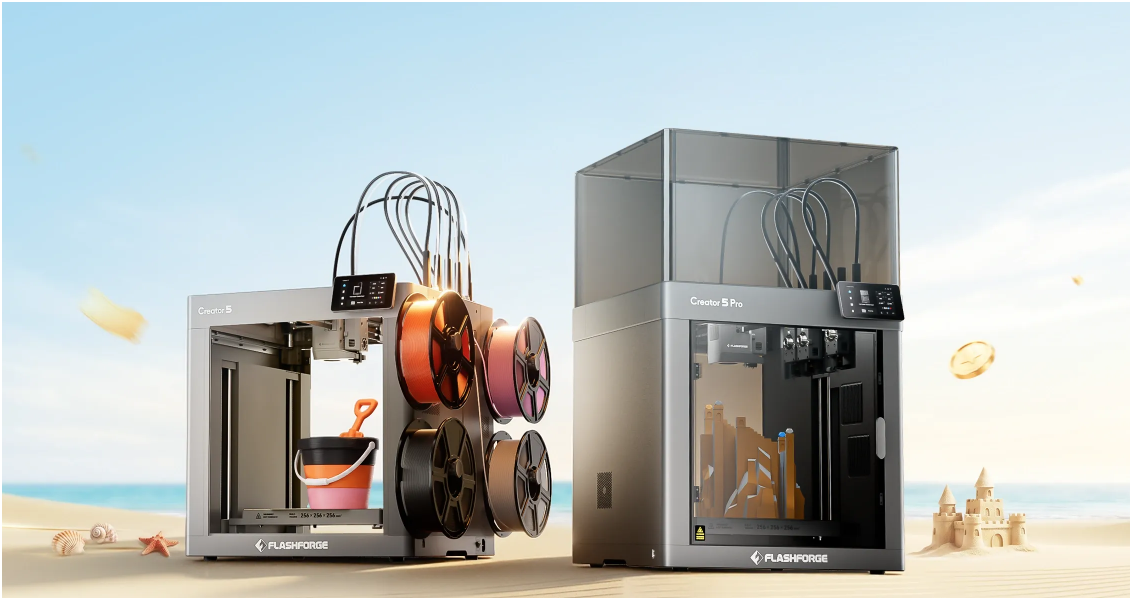
The broader Flashforge 3D Printer ecosystem combines printing hardware with desktop and mobile tools for connected management.
Software Support Influences Long-Term Value
A printer may remain mechanically reliable for years, but its usefulness also depends on software compatibility. Stable connections and support for additional devices can make future expansion easier.
For buyers planning to add more printers, the software environment may be as important as the first machine’s specifications.
How Mobile Software Helps Beginners and Professionals
Different users have different priorities, but both beginners and experienced teams can benefit from easier access to printer information.
Beginners Get a Clearer Starting Point
New users often find workflow management more difficult than the printing concept itself. A familiar mobile interface can make status information easier to understand and reduce the need to remain beside the printer.
It does not replace learning slicing or material settings, but it can simplify routine monitoring and build confidence.
Professionals Save Time Across Multiple Devices
Design teams, schools, service providers, and print farms need visibility across several machines. Remote status checks and device grouping can show which printer is active, available, or waiting for attention.
The time saved can go toward preparing models, reviewing parts, or planning the next production run.
The Future of 3D Printing Management
The next stage of management will combine mobile access with more automation, smarter analysis, and stronger communication between devices.
Smarter Alerts and AI-Assisted Monitoring
Across the industry, future mobile platforms may add smarter alerts, camera-assisted monitoring, and more automated guidance. Rather than simply reporting progress, it could help users understand when intervention is necessary.
Mobile Devices Will Become a Control Layer
Phones are unlikely to replace slicers or printer screens. Their stronger role is to connect users with machines, jobs, and print data throughout the day.
As printing environments become more connected, mobile tools will form a practical control layer between model preparation and production.
Conclusion: Mobile Software Is Becoming Essential
Mobile management is changing how users monitor jobs, organize devices, and stay connected to the printing process. Beginners gain a more approachable experience, while professionals gain better visibility across multiple machines.
The future of 3D printing will depend on more than faster hardware. Coordination between printers, desktop tools, connected services, and mobile interfaces will shape the overall experience. Brands such as Flashforge are moving in this direction by combining reliable equipment with software designed for smarter, connected workflows.