
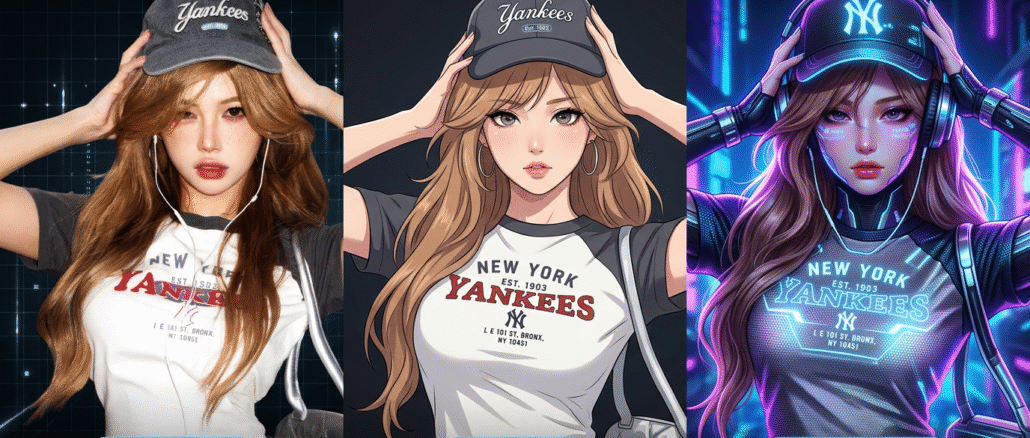

If you already have a clip and want to change the look instead of starting from zero, video to video on Videoinu is a simple place to begin. You upload a source video, describe the visual direction you want, and generate a new version from the original footage. Videoinu also offers strong model options like Kling 3.0 Pro, which it highlights for realism and smoother motion.
This workflow is useful when the motion already works but the final style does not. It can help with ad creatives, social clips, product videos, and quick visual tests. In that sense, it feels closer to a practical video to video AI workflow for content repurposing than a blank-page generation tool. If you have seen tools like Pika used for playful video edits or effect-driven remixes, the basic idea here will feel familiar, but the starting point is still the same: begin with footage that already gives you a strong base.
How to Use Video to Video on Videoinu
Step 1: Upload a short, clear clip
Start with a video that is easy to read. A product shot, a talking subject, or one short action usually works better than a long busy sequence. Clean input gives the model less to fight against, so the final result is usually more stable and easier to control.
Step 2: Describe the change, not the whole scene
The source clip already contains the timing and motion. Your prompt should focus on what you want to change.
For example, instead of explaining every detail in the frame, try something like:
Turn this clip into a clean cinematic ad with softer light, smoother texture, and a premium studio feel.
Or:
Restyle this video with warmer tones, a more dramatic mood, and a polished film look.
This is usually the easiest way to get a cleaner result from a video to video tool for restyling existing footage without overloading the prompt.
Step 3: Choose a direction that matches the result you want
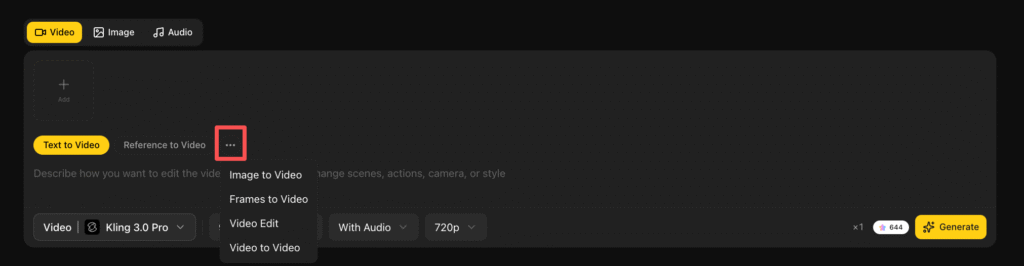
If realism matters most, Kling 3.0 Pro is a natural model to try on Videoinu. Its public positioning leans toward better detail preservation, smoother motion, and more believable scenes.
If your goal is simply to test new looks quickly, keep the first direction simple. One strong visual idea is usually better than stacking several changes into the same prompt.
Step 4: Generate one version first
Do not try to perfect everything in one go. Generate a first pass and look at the basics: does the style match your goal, does the motion still feel natural, and is the transformation too light or too heavy?
If something feels off, change one part of the prompt and try again. Small adjustments are usually more useful than a full rewrite.
Step 5: Make a few variations
This is where video to video becomes especially useful. One source clip can turn into several usable versions: a cleaner ad cut, a more cinematic version, or a softer social-style edit. Once one short clip works, it becomes much easier to build the next one on Videoinu.
Tips for Better Results
Keep your source clip short at the beginning. Use prompts that describe mood, style, and finish rather than every object in the frame. If the original footage already has strong motion, do not fight it too much. Let the video do its job, and let the prompt guide the visual shift.
Final Thoughts
Video to video on Videoinu works best when you keep the goal simple: start with a clip that already works, describe one clear change, and test from there. If the first version feels right, you can quickly turn one piece of footage into several fresh outputs.
FAQs
What is video to video on Videoinu?
It is a way to upload an existing clip and transform its look with AI instead of making a video from scratch.
What kinds of videos work best for video to video?
Short, clear clips usually work best, especially product shots, talking clips, and simple action footage.
How should I write a video to video prompt?
Focus on the visual change you want, such as mood, style, lighting, or finish, instead of describing the whole scene again.
Is Kling 3.0 Pro good for video to video?
Yes. It is a strong option when you want more realistic detail, smoother motion, and a cleaner final result.
Can I make more than one version from the same source clip?
Yes. That is one of the main benefits of video to video. One clip can lead to several different styles or creative directions.