
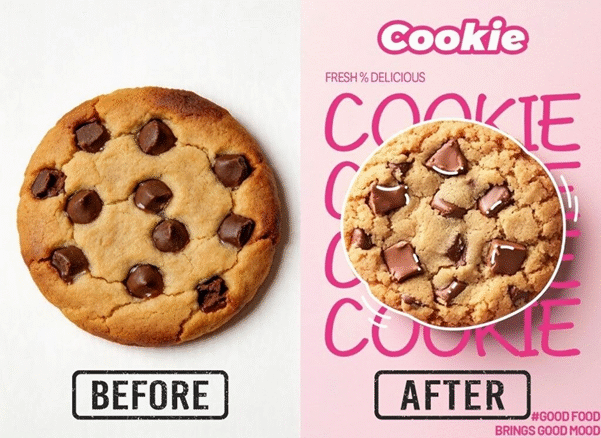

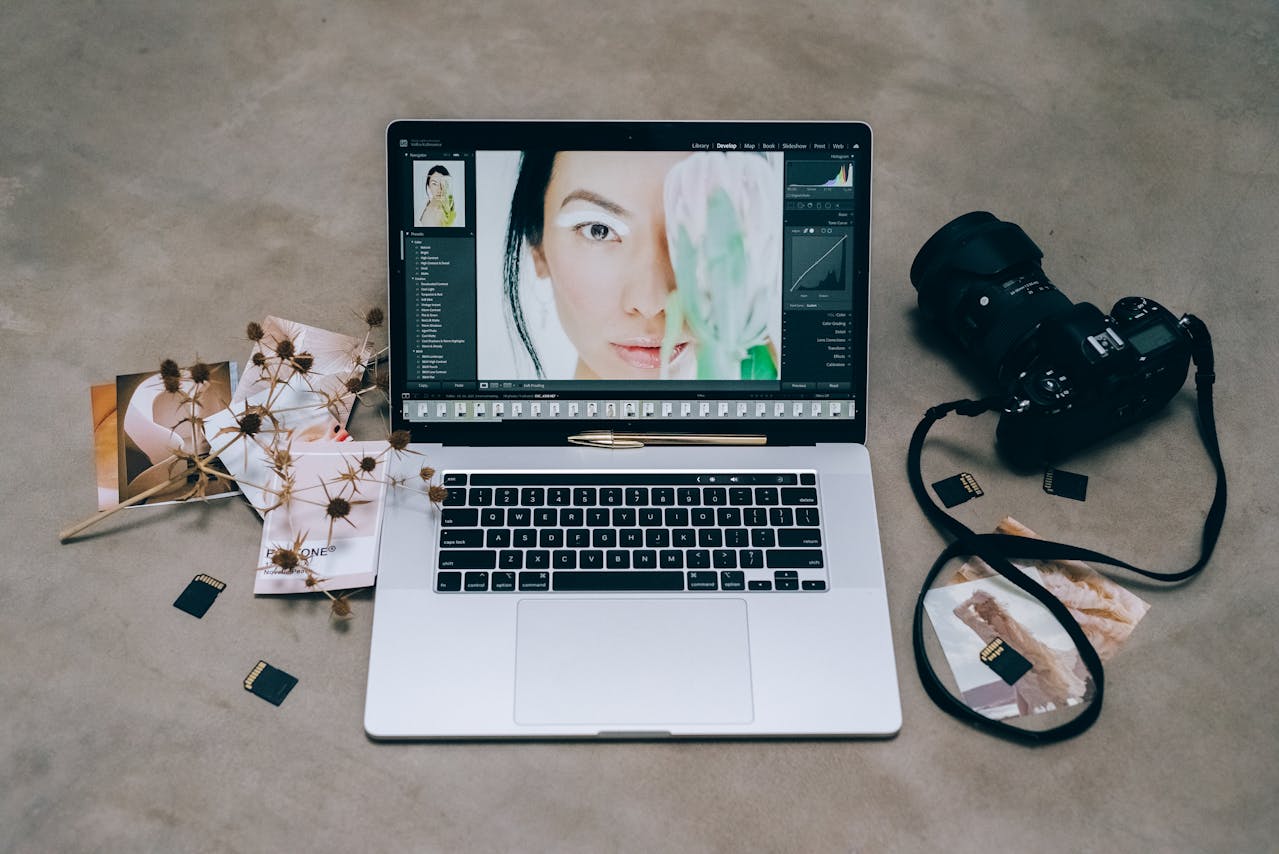
Editing photos used to be a chore that required hours of training. You had to learn complex software and spend days clicking through menus. Now, AI tools make these tasks much faster. You can generate new ideas or fix old photos in seconds. This guide looks at the best ways to use these tools to improve your creative process.
Many creators start their day by opening an AI photo editor to clean up their latest shots. This tool helps remove unwanted objects or adjust lighting without any manual brushing. It is a great way to set a solid foundation for your project. You can focus on the big picture while the software handles the small details.
If you have a rough sketch or a basic photo, you can use a Free Image to Image Generator to turn it into a masterpiece. This workflow allows you to maintain the basic shape of your original image while adding new textures and styles. It is perfect for artists who want to experiment with different looks quickly. You don’t need to be a master painter to get professional results.
- EZCreate AI Photo Suite
EZCreate AI is a versatile tool designed for people who need high quality results without a steep learning curve. It focuses on making complex tasks simple. The interface is clean and easy to navigate. You can jump right in and start creating without watching hours of tutorials. It handles everything from basic crops to advanced AI generations.
Key Features
This suite offers a variety of tools like background removal and text to image generation. One of the best features is the ability to upscale images. This means you can take a small, blurry photo and make it large and sharp. It also includes tools for replacing specific parts of an image using simple text prompts. You just describe what you want to see and the AI does the rest.
Pros
The biggest benefit is the speed of the processing. You get your results in a few seconds. The tool is also very accessible for beginners. You do not need a powerful computer to run it because everything happens in the cloud. The pricing is fair for the value you receive.
Cons
Advanced users might find the lack of manual layer controls a bit limiting. It does not have as many brush tools as traditional software. The AI can sometimes interpret complex prompts in unexpected ways.
Best For
This tool is best for social media managers and small business owners. It is perfect for people who need to create a lot of content quickly. If you want a balance between power and simplicity, this is the right choice for you.
- Adobe Firefly
Adobe Firefly is the AI engine that powers many features in Photoshop. It is built for professionals who already have a specific workflow. It integrates directly into the software you likely already use. This makes it very convenient for people who do not want to switch between different apps. It uses a massive library of licensed images to ensure the output is safe for commercial use.
Key Features
The standout feature is Generative Fill. This allows you to select an area of a photo and type in what you want to add or change. You can expand the borders of a photo to make it fit a different aspect ratio. It also has a great text effects tool. You can turn plain letters into 3D objects or give them unique textures like fur or metal.
Pros
The integration with Photoshop is a huge plus. You can use AI to generate an object and then use traditional tools to fine tune it. The quality of the generated images is very high. It also respects the lighting and shadows of your original photo.
Cons
You need a Creative Cloud subscription to get the most out of it. This can be expensive for casual users. The software can be heavy and might slow down older computers. Some of the more advanced features have a bit of a learning curve.
Best For
This is best for professional graphic designers and photographers. If you already use Adobe products, this is a natural addition to your toolkit. It is for people who need pixel perfect control over their work.
- Midjourney
Midjourney is known for producing some of the most artistic and visually stunning AI images available. It operates through a chat interface which is a bit different from other tools. You join a server and send commands to a bot. While this sounds strange at first, it creates a community feel where you can see what others are making. It is constantly being updated with new versions that improve the realism of the images.
Key Features
The main feature is the high level of detail in the generated art. It can handle complex lighting and textures better than most other tools. You can use different parameters to change the aspect ratio or the level of stylization. It also has a feature called remix mode. This lets you change your prompt slightly to see different variations of the same idea.
Pros
The artistic quality is unmatched. It can create everything from oil paintings to photorealistic portraits. The community is very active and you can learn a lot by looking at other people’s prompts. It is great for getting inspiration for new projects.
Cons
The Discord interface can be confusing for new users. There is no traditional menu system. It can also be difficult to get the exact same character or object in multiple different images. You have to pay a monthly fee to use it privately.
Best For
This tool is best for concept artists and illustrators. It is perfect for the early stages of a project when you need to explore many different visual ideas. If you want the highest quality art, this is the one to use.
- Canva Magic Studio
Canva has added a suite of AI tools called Magic Studio to its popular design platform. It is designed to help non-designers create professional looking graphics. The focus here is on the entire design process, not just the photo editing. You can go from a blank page to a full social media post in minutes. It simplifies the design process by suggesting layouts and images.
Key Features
Magic Grab allows you to select any object in a photo and move it around like a sticker. Magic Expand can fill in the gaps if your photo is too small for your layout. There is also a tool that turns your text descriptions into custom graphics and icons. It even has an AI writer to help you come up with captions and headlines.
Pros
It is incredibly easy to use. The drag and drop interface is very intuitive. You get access to a huge library of templates and stock photos. It is an all in one solution for most marketing needs.
Cons
The AI generation is not as detailed as tools like Midjourney. You have less control over the specific look of the AI output. Some of the best features are locked behind a pro subscription.
Best For
This is best for content creators and marketing teams. It is for people who need to produce a wide variety of assets like flyers, posts, and presentations. If you value speed and ease of use, Canva is a great fit.
- Photoroom
Photoroom is a specialized tool that focuses on product photography. It is used by millions of people who sell items online. The tool is designed to take a messy photo of a product and turn it into a professional studio shot. It uses AI to identify the object and separate it from the background perfectly. This saves a lot of time for people running online stores.
Key Features
The most popular feature is the instant background remover. Once the background is gone, you can choose from thousands of professional templates. You can add realistic shadows and reflections with one tap. It also has a batch mode. This allows you to edit hundreds of photos at the same time using the same settings.
Pros
It is the fastest way to create product listings. The mobile app is very powerful and easy to use on the go. The AI is very good at finding the edges of complex objects like clothing or jewelry.
Cons
It is very focused on products, so it is not great for landscapes or artistic photos. The free version adds a watermark to your images. The desktop version is not as feature rich as the mobile app.
Best For
This is best for e-commerce sellers on platforms like eBay, Etsy, or Shopify. If you have a lot of products to list and want them to look professional, this tool is a lifesaver.
Comparison Summary
| Tool | Primary Use | Best For |
| EZCreate AI | General AI Editing | Small Businesses |
| Adobe Firefly | Professional Design | Graphic Designers |
| Midjourney | Artistic Generation | Concept Artists |
| Canva Magic Studio | Marketing Content | Content Creators |
| Photoroom | Product Photos | Online Sellers |
Final Recommendation
Choosing the right tool depends on what you want to achieve. If you are a professional who needs deep integration with existing software, Adobe Firefly is the winner. For those who want to create stunning art from scratch, Midjourney is the best option. If you are selling products online, you should definitely use Photoroom to save time.
For most people who need a mix of everything, EZCreate AI is a fantastic starting point. It offers a great balance of power and simplicity. It allows you to experiment with AI without feeling overwhelmed. Canva is also a strong choice if you need to build full designs around your photos. No matter which tool you choose, using AI will make your creative workflow much faster and more fun. You can now spend more time on your ideas and less time on the technical work.
Disclaimer: The rankings in this article, “5 Best AI Workflows for Photo Editing and Design,” are for informational purposes only and are based on editorial research, features, usability, and industry trends at the time of publication. Preferences and performance may vary depending on individual needs and use cases. Readers are encouraged to conduct their own research before choosing any platform or workflow.