
Static product photography rarely holds attention in a crowded LinkedIn or display feed, yet commissioning a full studio shoot for every quarterly release strains most mid-market marketing budgets. Choosing the right picture to video ai tier comes down to matching each campaign slot—and its audio requirement—to the model that delivers clean motion without burning monthly credits on rough drafts.
Where Campaign Budgets Leak Between Stills And Motion
Marketing operations teams usually already own high-resolution product renders, packaging photos, and executive event stills weeks before a launch goes live. The bottleneck appears when paid social, email banners, and landing page hero modules all request short motion clips at the same time. Traditional agency retainers treat every five-second loop as a custom motion-design ticket, which turns minor copy or framing adjustments into multi-day turnarounds and extra billable hours.
Bringing motion generation in-house solves the scheduling drag, but it introduces a quieter budget leak when teams default to a single high-cost model for every asset. A quick internal concept check does not need the same credit spend as a flagship six-second launch clip with generated ambient sound. Without a clear tiering rule, a team can exhaust a monthly allocation testing camera directions that never survive the first creative review.
The financial gap becomes obvious once you map a typical quarterly launch calendar. A single B2B release often calls for eight to twelve short visual variations across paid feeds, partner newsletters, and webinar promos. Paying premium-tier credits from the first exploratory prompt multiplies the cost of every rejected framing, whereas separating cheap structural previews from final exports keeps the entire campaign inside a predictable software line item.
Four Evaluation Criteria Before Picking A Generation Tier
Evaluating a motion platform for commercial campaigns requires looking past homepage sample reels and inspecting the controls that govern output rights, sound tracks, resolution, and retry costs. Four operational criteria separate tools that fit a B2B launch workflow from tools that create hidden cleanup work for the design desk.
First, teams need transparent per-generation credit visibility before clicking generate, along with a guarantee that failed generations do not drain the balance. Second, aspect ratio handling must match real ad placements so headlines and product edges survive mobile feeds without manual re-exporting. Third, commercial output must arrive free of watermarks once a campaign moves onto a paid plan. Fourth, the platform should let buyers choose between silent video and generated audio instead of forcing a synthetic voiceover onto channels that already carry a brand soundtrack.
Clean Export Rights And Watermark Boundaries
Free tiers are useful for verifying whether a product still holds its geometry in motion, but watermarked files cannot ship in paid acquisition campaigns or partner co-marketing decks. A practical procurement check separates evaluation credits from publishable tiers right at the start of the quarter. When free daily credits carry a small watermark, the team should restrict those runs to internal creative sign-off and move to a paid plan before exporting any customer-facing asset.
That boundary also protects brand consistency across regional teams. If a regional manager downloads a free preview and uploads it straight to a live ad set, the small watermark signals an unfinished draft to enterprise buyers. Defining a clear rule—free daily credits for prompt checks, paid Standard or Pro exports for live placements—prevents avoidable ad rejections and rework.
Audio Ownership Across Silent And Speaking Channels
Most B2B social feeds autoplay on mute, and paid video units often layer a licensed corporate track or a recorded product-marketing voiceover in post-production. Paying extra credits for a model that generates dialogue and room tone on every clip wastes budget whenever the editor plans to strip the audio track anyway. Silent models keep the workflow leaner and let the brand team retain full control over pronunciation, music licensing, and caption timing.
Standalone announcement clips tell a different story. When a launch post needs subtle ambient sound, dialogue, or environmental effects directly inside a six-second render without opening a separate audio editor, a sound-capable tier earns its higher credit price. Separating silent placements from audio-led placements on the creative brief before opening the generator keeps spend aligned with actual channel needs.
Comparing Model Tiers And Credit Math On Image To Video AI
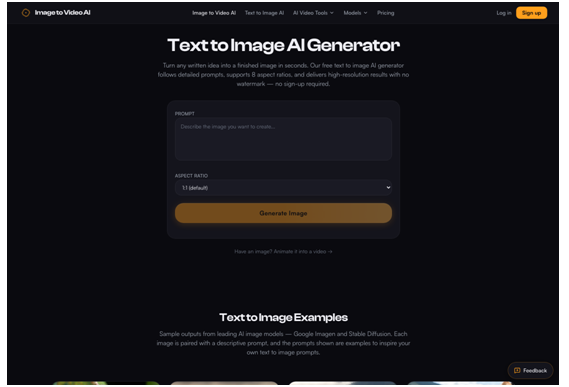
Image to Video AI groups five active video generation models under one workspace so marketing teams can route low-stakes previews and flagship exports without juggling separate vendor subscriptions. Instead of locking every user into one fixed duration or one credit rate, the workspace exposes distinct duration, resolution, and pricing profiles per model right beside the prompt box.
| Model Tier | Duration And Resolution Controls | Listed Credit Cost | Best Campaign Fit |
| Seedance 1.0 Pro Fast | 480p or 720p; 2s, 4s, 6s, or 10s; silent | From 20 credits (480p, 2s) | Rapid prompt checks, silent social loops, high-volume feed variants |
| MiniMax H3 Max Turbo | 5s or 10s; no 480p/720p toggle | 100 credits | Mid-tier launch clips needing faster turnaround at standard five-second pacing |
| Veo 3.1 Lite | Fixed 6s; includes dialogue, SFX, and ambience | 150 credits | Standalone promos where built-in sound and room tone replace manual mixing |
| MiniMax H3 | 6s or 10s; no 480p/720p toggle | 200 credits | Longer hero visuals for landing pages and key product announcements |
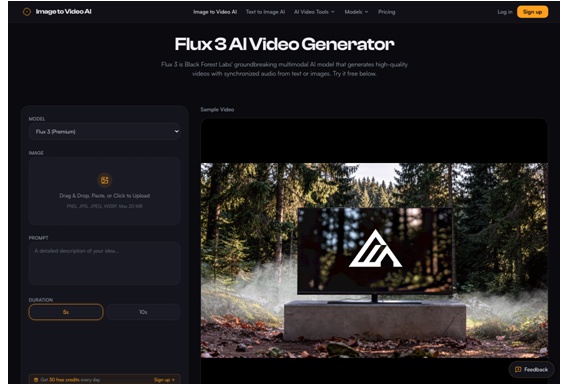
| Flux 3 | 5s or 10s; no 480p/720p toggle | 400 credits | High-priority flagship stills reserved for top-of-funnel campaign headers |
For a demand-generation lead reviewing picture to video ai options, the practical advantage of Image to Video AI is that one uploaded product still can move across these five tiers without reformatting the brief or migrating to another tool. A team can verify framing and motion stability at the 20-credit floor before committing 150 or 400 credits to a flagship placement, while failed generations are not charged against the account balance.
Drafting On Seedance 1.0 Pro Fast Before Stepping Up
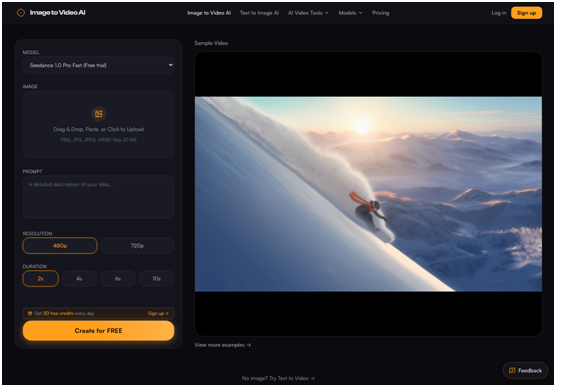
Seedance 1.0 Pro Fast is the only tier on the workspace that exposes both a 480p/720p resolution switch and four duration steps—2s, 4s, 6s, and 10s—starting at 20 credits for a two-second 480p preview. Because it runs roughly three times faster and around 60% cheaper than standard Seedance 1.0 Pro while outputting silent clips, it acts as a low-risk proving ground for prompt wording. If a camera pan distorts a hardware bezel or pushes a packaging label toward the frame edge, discovering that flaw at 20 credits costs a fraction of discovering it on a 200-credit or 400-credit pass.
Once the prompt holds the product silhouette cleanly at 480p, the marketer has a clear decision fork. For muted LinkedIn carousels, display banners, or email GIF conversions, stepping up to 720p on the same silent tier often finishes the job cleanly. Only when the creative brief specifically calls for built-in sound effects on Veo 3.1 Lite, or a flagship five-to-ten-second hero visual on MiniMax H3 or Flux 3, does the team move up the credit ladder.
Matching Monthly Subscriptions Against The One-Time Pack
Pricing structure matters as much as per-clip credit rates when campaigns run in bursts rather than steady weekly streams. Image to Video AI offers three paid paths alongside its 30 daily free credits (which require sign-up with no card and carry a small watermark). The one-time pack costs $9.99 for 200 credits that never expire, Standard Monthly runs $9.9 per month for 2,000 credits, and Pro Monthly runs $19.9 per month for 6,000 credits, with an annual billing toggle that saves roughly 17%.
Comparing the unit economics makes the procurement choice straightforward. On the $9.99 one-time pack, 200 credits buy ten 20-credit drafts or a single 200-credit MiniMax H3 render—useful for a solo founder or an occasional press release where monthly recurring charges would sit idle. By contrast, Standard Monthly delivers ten times the credit pool (2,000 credits) for $9.9, removes the daily cap, strips the watermark for clean commercial delivery, and unlocks premium models up to 10 seconds. For an active B2B team running monthly launches, Standard Monthly brings the effective cost of a 100-credit MiniMax H3 Max Turbo clip down to roughly fifty cents, while Pro Monthly at $19.9 for 6,000 credits lowers that per-clip rate further for multi-region ad testing.
How Procurement Teams Fit Image To Video AI Into Launch Sprints
Turning credit math into reliable campaign output depends on setting a repeatable sprint sequence before launch week begins. Image to Video AI accepts PNG, JPG, JPEG, and WEBP uploads up to 20 MB and opens a pre-generation crop step with 1.0x to 3.0x zoom and preset ratios including Original, 1:1, 16:9, 9:16, 4:3, and 3:4. Locking the placement ratio before generating prevents the design team from slicing off product corners later in an ad manager.
In a typical two-week B2B sprint, the demand-gen lead can allocate a 2,000-credit Standard Monthly pool across three distinct buckets. Roughly 400 credits cover twenty exploratory 480p checks on Seedance 1.0 Pro Fast to test motion phrasing across four core product stills. Another 600 to 800 credits fund clean 720p silent deliverables and mid-tier MiniMax H3 Max Turbo five-second variations for paid social feeds. The remaining 800 to 1,000 credits stay reserved for two or three flagship placements—either a six-second Veo 3.1 Lite announcement clip with ambient sound at 150 credits or a high-priority Flux 3 hero visual at 400 credits.
Because failed generations are not deducted from the credit balance, the team only pays for completed renders. Tracking which prompt phrases preserve crisp logos and clean product edges in a shared campaign doc further trims wasted retries in the next quarter. Over two or three release cycles, the workspace functions as a predictable production utility sitting between the brand’s still photography folder and its paid media calendar.
Practical Limits Before Replacing A Full Shoot
Short still-to-video clips cannot replace multi-angle hardware walkthroughs, live software screen recordings with clickable menus, or scripted customer testimonials that require exact lip-sync to a legal disclaimer. Any asset exported from the free daily tier also retains a small watermark, so commercial campaigns must wait for a Standard or Pro subscription before publishing. When a product still starts out blurry or overly crowded with fine print, higher-credit models will not invent legible details that were missing from the original file.
Match The Model Tier To The Channel Slot
B2B marketing teams get the strongest return from Image to Video AI when they treat model selection as a channel-routing decision rather than a default setting. Silent paid feeds and rapid creative checks belong on Seedance 1.0 Pro Fast, where 20-credit drafts let marketers verify motion and framing before spending real budget. Audio-led announcements justify Veo 3.1 Lite at 150 credits, while flagship landing-page headers can step up to MiniMax H3 or Flux 3 once the visual direction is locked.
For teams publishing more than one campaign a quarter, the $9.9 Standard Monthly plan outpaces the $9.99 one-time pack immediately on both unit cost and clean commercial output. Start every launch asset with a sharp still, lock the target ad ratio up front, and reserve premium credits strictly for the clips that earn top-of-funnel placement.