

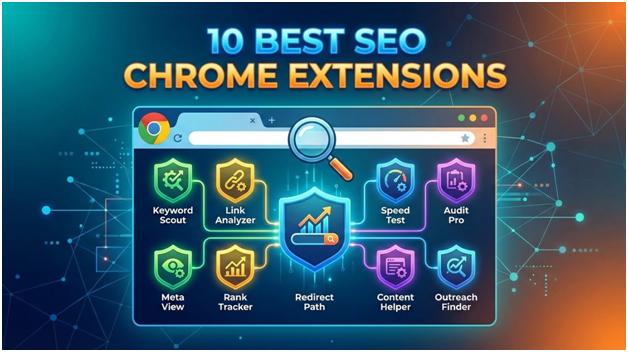
Chrome extensions are one of the fastest ways to level up your SEO workflow. Instead of jumping between multiple tools, the right extensions bring critical insights, like keyword data, backlinks, and on-page diagnostics, directly into your browser.
But here’s the catch: not all extensions are equally useful, and many overlap. The goal isn’t to install everything; it’s to build a lean stack that gives you speed, clarity, and actionable insights.
Below are 10 of the best SEO Chrome extensions, with a deeper look at what each one actually does and when to use it.
1. Ahrefs SEO Toolbar
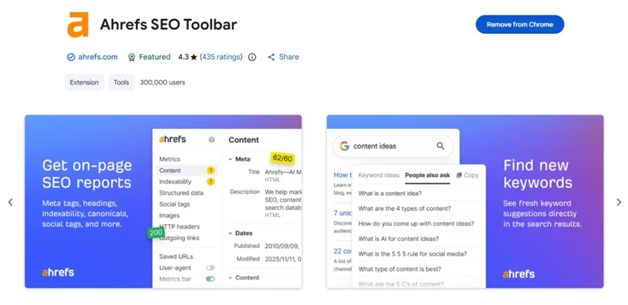
The Ahrefs SEO Toolbar is arguably one of the most powerful browser-based SEO tools available. It pulls data directly from Ahrefs’ massive index, giving you access to metrics like organic traffic estimates, backlink profiles, and keyword rankings without opening the full platform.
One of its standout features is the SERP overlay, which lets you evaluate competitors instantly while browsing Google results. You can quickly identify which pages dominate a keyword and why, whether it’s due to backlinks, content depth, or domain strength.
It also includes an on-page SEO report that highlights issues like missing meta tags, weak headings, and thin content. For marketers who frequently audit competitors or validate keyword opportunities, this extension can save hours.
Best for: In-depth competitor research and real-time SEO data
2. MozBar

MozBar has been around for years, and it remains a go-to tool for quickly assessing website authority. Its core strength lies in its simplicity; it overlays Domain Authority (DA) and Page Authority (PA) directly on search results and web pages.
This makes it particularly useful for link building. You can instantly evaluate whether a site is worth pursuing for backlinks or partnerships without running a full audit.
MozBar also allows you to highlight on-page elements such as headings, meta tags, and links. While it’s not as feature-heavy as some newer tools, its reliability and ease of use make it a staple for many SEO professionals.
Best for: Quick authority checks and link-building research
3. SEOquake
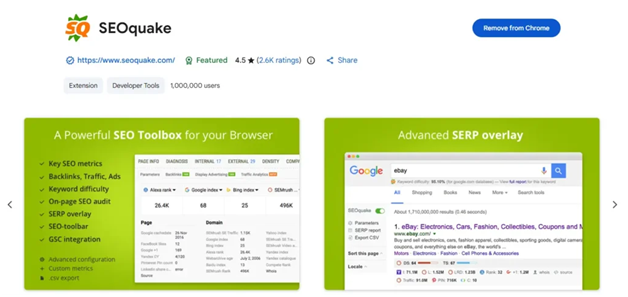
SEOquake, developed by Semrush, is a versatile extension that provides a broad range of SEO metrics in a highly accessible format. It integrates directly into search engine results pages, showing data like page authority, backlinks, and keyword difficulty.
A key feature is its keyword density analysis, which helps you understand how competitors structure their content and whether they are over- or under-optimising for specific terms.
It also includes a full SEO audit tool that evaluates technical and on-page factors such as internal linking, metadata, and indexing signals. While the interface can feel slightly dated, the depth of data makes it incredibly useful for quick diagnostics.
Best for: SERP analysis and on-page SEO audits
4. Keywords Everywhere
Keywords Everywhere is a must-have for anyone focused on keyword research and content strategy. It enriches your Google search experience by displaying keyword volume, cost-per-click (CPC), and competition data directly in the results.
What makes it particularly valuable is its ability to generate related keyword ideas and long-tail variations in real time. This helps you move beyond obvious keywords and uncover opportunities with lower competition and higher intent.
It operates on a credit-based system, which may not suit everyone, but the trade-off is access to reliable, up-to-date keyword data without needing to log into a separate platform.
Best for: Real-time keyword research and content ideation
5. SEO Inspector

SEO Inspector is a lightweight yet practical tool designed for quick on-page and technical analysis. It allows you to inspect key SEO elements, such as meta titles, descriptions, heading structures, Image alt-text, and canonical tags, without digging into the page source.
What makes it especially useful is its simplicity. Instead of overwhelming you with data, it focuses on the essentials, making it ideal for quick audits or spot-checking pages during content reviews.
For marketers who need to validate whether a page is properly optimised before publishing, or to quickly diagnose issues on a live page, SEO Inspector offers a fast and efficient solution.
Best for: Fast, no-friction on-page and technical SEO analysis
6. Detailed SEO Extension

As the name suggests, the Detailed SEO Extension provides a comprehensive breakdown of a page’s SEO elements in a clean, structured format. It covers everything from meta tags and headings to schema markup and internal/external links.
One of its biggest strengths is clarity. Instead of cluttering the interface, it organises information in a way that makes it easy to interpret, even for less technical users.
It’s particularly useful for content audits, as it allows you to quickly evaluate whether a page follows SEO best practices without running a full crawl.
Best for: Structured on-page and technical SEO analysis
7. SEO Meta in 1 Click
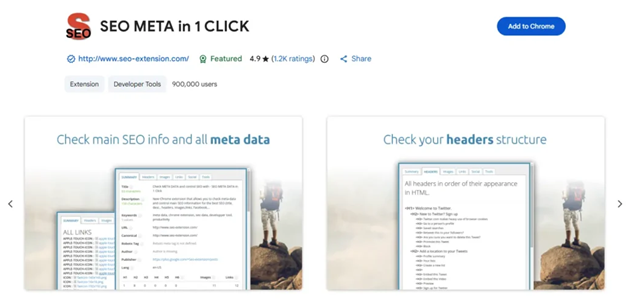
SEO Meta in 1 Click is designed for speed. With a single click, it displays all essential metadata on a page, including title tags, meta descriptions, headers, images, and alt attributes.
This makes it incredibly useful for identifying missing or poorly optimised elements. For example, you can quickly spot duplicate H1 tags, missing alt text, or overly long meta descriptions.
It’s not as comprehensive as some other tools, but that’s exactly the point—it’s built for fast validation rather than deep analysis.
Best for: Instant metadata checks and quick audits
8. SEO Minion
SEO Minion is a versatile extension that focuses on practical, everyday SEO tasks. It includes features like broken link checking, SERP preview simulation, and hreflang validation.
The broken link checker is particularly valuable for technical SEO, allowing you to identify and fix issues that could negatively impact user experience and rankings.
Its SERP preview tool also helps you optimise how your pages will appear in search results, ensuring your titles and descriptions are both compelling and within length limits.
Best for: Technical checks and usability improvements
9. Lighthouse (Built into Chrome)
Lighthouse is Google’s own auditing tool, built directly into Chrome DevTools. It provides detailed reports on performance, accessibility, best practices, and SEO.
What sets it apart is its focus on Core Web Vitals, metrics that directly impact search rankings and user experience. It analyses factors like page load speed, interactivity, and visual stability, offering actionable recommendations for improvement.
While it requires a bit more technical understanding than other extensions, it’s an essential tool for anyone serious about technical SEO.
Best for: Performance optimisation and technical SEO audits
10. Keyword Surfer
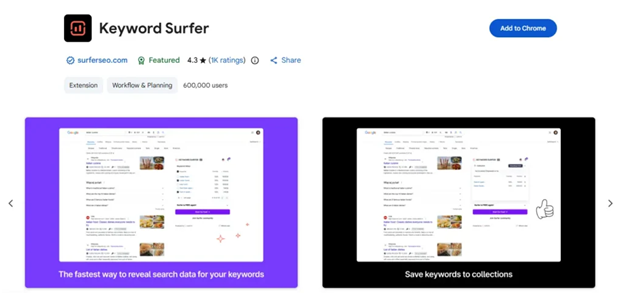
Keyword Surfer is a lightweight, free alternative to premium keyword tools. It displays search volumes, keyword suggestions, and estimated traffic directly in Google search results.
Its simplicity is its biggest advantage, you don’t need credits or subscriptions to get basic keyword insights. It also provides content-related metrics, such as estimated word count and keyword frequency for top-ranking pages.
While it may not be as accurate or comprehensive as paid tools, it’s a great starting point for quick research and validation.
Best for: Free, on-the-fly keyword insights
Conclusion
There’s a tendency to overstack SEO extensions, but more tools don’t necessarily mean better results. In fact, too many extensions can slow down your browser and create conflicting data points.
A more effective approach is to combine a few complementary tools—for example:
- One for data (Ahrefs Toolbar)
- One for keywords (Keywords Everywhere or Keyword Surfer)
- One for on-page analysis (SEO Inspector)
The real advantage comes not from the tools themselves, but from how quickly you can turn their insights into action.
Disclaimer: The list titled “10 Best SEO Chrome Extensions (2026 Edition)” is intended for informational purposes only. The inclusion of any tool does not constitute endorsement or guarantee of performance, and users are advised to evaluate each extension based on their specific needs before use.