

In 2026, AI can draft almost any slide deck in minutes.
Here are 8 AI presentation makers that cover every deck need, from school slides to client decks.
1) Dokie AI
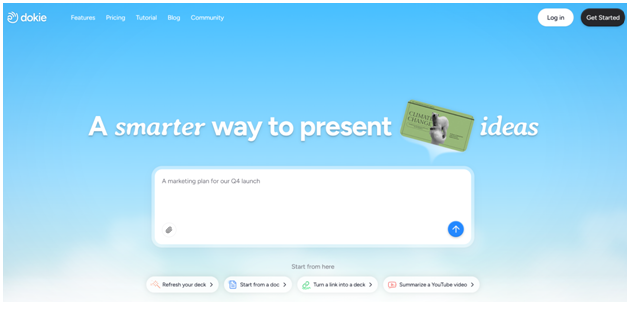
Dokie AI is one of the best AI PPT makers for “real work” decks. It focuses on structure and PPT-friendly flow, so your presentation feels like a normal business deck instead of a random set of slides. This makes it great for marketing reports, team updates, client presentations, and strategy decks.
Dokie AI is also a strong choice when you need a deck that is easy to edit and export, because the layout and slide order tend to be practical. If you want one tool that works for most business cases, Dokie AI is a top pick in 2026.
Pros
- Strong structure and clear slide flow
- PPT-friendly decks that are easy to edit
- Great for business decks and reports
Cons
- You still need to verify numbers and facts
- Strict brand templates may need final tweaks
2) Beautiful AI
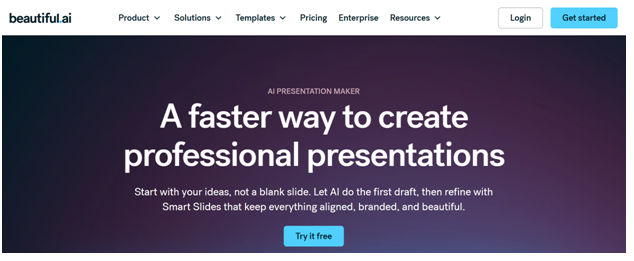
Beautiful AI is a design-first AI PPT maker. Its biggest strength is layout consistency. When you add content, the design system automatically keeps spacing and alignment clean.
This makes it a great tool if you hate formatting and want slides that look professional quickly. It is useful for pitch decks, team presentations, and business updates where clean design matters. It can feel less flexible for very custom layouts, but for most users, the time saved on design is worth it.
Pros
- Strong design consistency and auto layout
- Great for clean, professional slides
- Helpful templates for many deck types
Cons
- Less flexible for custom layouts
- Content still needs human polish
3) Gamma APP
Gamma is an AI presentation maker with a modern, web-first style. It is great for storytelling decks, quick internal updates, and sharing presentations as links. Many people like Gamma because it is fast and the output looks clean without much design work.
If you want a deck that feels like a modern webpage with smooth layout, Gamma is a great choice. It may need extra work if you want strict PowerPoint-style formatting, but for most general decks, it is one of the most popular tools.
Pros
- Fast, clean, modern layouts
- Easy sharing and presenting online
- Great for story-style decks
Cons
- Not always ideal for strict PPT templates
- Some decks need structure cleanup
4) MagicSlides
MagicSlides is a great pick if your team uses Google Slides. It works as a Google Slides add-on, so you can generate slides and edit them in the same tool. It also supports several inputs like text, PDFs, URLs, and even YouTube links, which is useful for turning existing content into a deck.
If you want an AI slides generator that fits a Google workflow, MagicSlides is one of the most practical options.
Pros
- Works directly inside Google Slides
- Good for turning content into slides (PDF/URL/video)
- Easy team collaboration in Slides
Cons
- Output may need cleanup for client decks
- Layout quality depends on input quality
5) Plus AI
Plus AI is another strong option for teams that live in Google Slides or PowerPoint. Instead of building a new platform, it adds AI features inside the tools you already use.
This is helpful for companies with templates, because you can keep your brand style and still get AI drafting help. If you want a workflow-friendly AI presentation maker that stays in standard slide tools, Plus AI is a solid pick.
Pros
- Works inside Google Slides and PowerPoint
- Good for team templates and real workflows
- Easy edits in familiar tools
Cons
- Can be generic without clear prompts
- Final design polish may still be needed
6) Alai
Alai is a strong choice if you care about editing control. Many AI slide tools are good at making the first draft but weak when you need revisions. Alai focuses on making it easier to refine slides and keep layout stable while you edit.
This makes it useful for real work decks that go through feedback cycles. If you often revise presentations, Alai can help you save time.
Pros
- Better control during revisions
- Great for slide-by-slide polishing
- Good for teams with many edits
Cons
- Needs clear input for best results
- Brand styling may still require a final pass
7) SlidesGPT
SlidesGPT is a simple and fast AI slides generator. If you want a quick first draft deck from a prompt, SlidesGPT works well. It is useful for school decks, training decks, and early business drafts when speed matters most.
The output can be a little basic, but it is easy to export and polish in PowerPoint or Google Slides.
Pros
- Very fast prompt-to-deck generation
- Simple workflow for many deck types
- Easy export and quick editing
Cons
- Can feel generic without a strong prompt
- Design may need extra polishing
8) GenPPT
GenPPT is a content-first AI PPT maker that focuses on structure and quick drafting. It works well for standard presentations like project updates, reports, and training decks.
It is a strong choice if you want a clean outline quickly and plan to edit the final deck in PowerPoint. GenPPT is also useful when you want a repeatable process: outline → generate → export → polish.
Pros
- Strong for outlines and structure
- Good for standard decks and reports
- Easy draft-to-export workflow
Cons
- You still need to verify facts and data
- Design may be basic without polishing
Conclusion
The best AI presentation maker depends on how you work. If you want one tool that covers most needs, start with Dokie AI and add a Google Slides tool like MagicSlides if needed.
FAQ
1) What is an AI presentation maker?
An AI presentation maker uses AI to create slide decks from prompts, notes, or files. Many also help with design and export.
2) What is an AI PPT maker?
An AI PPT maker creates PowerPoint-style slides and often exports to .pptx.
3) Are AI slides generators good enough for business decks?
Yes for drafts and many internal decks. For client decks, you usually still polish wording and design.
4) Which tool is best for business-ready slide structure?
Dokie AI is best for strong business structure and PPT-friendly flow.
5) Which tool is best for web-style sharing?
Gamma is great for modern decks and link sharing.
6) Which tool is best for clean design without formatting?
Beautiful AI is strong because of auto layout and design consistency.
7) Which tool is best for Google Slides users?
MagicSlides and Plus AI work inside Google Slides and fit team workflows.
8) Which tool is best for revisions?
Alai is a good choice if your decks go through many edits.
9) Which tool is best for fast drafts?
SlidesGPT and GenPPT are strong for quick first drafts.
10) How do I get better results from an AI PPT maker?
Use a clear prompt with audience, goal, slide count, and required sections. Then trim filler slides and add real proof like numbers and examples.
Disclaimer: This article is for informational purposes only. Tool rankings are based on editorial research and may change as platforms update their features and pricing.