
New Delhi, Sep 24: Every day, creators use video storytelling to connect and build their audiences, and more of that creativity is happening on mobile than ever before. Inspiration can come at all times – at a concert, during a commute, over coffee at a noisy cafe – and when an idea hits, they can be brought to life quickly, with mobile editing tools that are as powerful as they are easy.
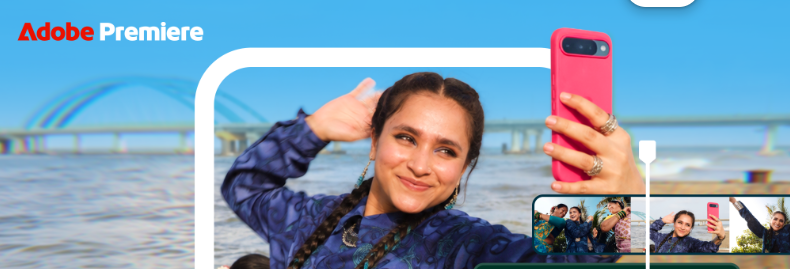
Since its debut on iPhone last year, Premiere mobile has quickly become a go-to app for creating and editing everything from day-in-the-life vlogs to tutorials, podcast clips, social content and more.
Today, Adobe — the global technology leader that empowers creativity, productivity and personalized customer experiences through innovative tools and platforms — announced that the Adobe Premiere mobile app is now available on Android, bringing intuitive and powerful video editing to millions more creators around the world, for free. Built for creators, the app makes the editing tools pros use accessible and easy to use on mobile. It’s everything needed to make amazing, high-quality social content with ease.
“Today, we’re excited to share that Adobe Premiere on mobile is now available on Android for free”, said Diksha Kuhar, Director, Product Marketing, Premiere mobile, Adobe. “With 95% of Indian creators already being mobile-first, the smartphone is fast becoming the studio for India’s next generation of creators. We’re excited to offer Premiere mobile on iOS and now on Android devices, putting Adobe’s pro-quality video tools into the hands of millions of creators in India for free.”
Studio-quality sound and so much more in your pocket
Premiere mobile puts more creative control right in your pocket, from tools that help you get studio-quality sound in a few taps to fine-tuning every cut with precision.
Great sound can make all the difference, but when you’re creating on the go, you can’t always control what’s happening around you. With Enhance Audio, you can reduce distracting background noise and improve the clarity of interviews, voiceovers and other recordings in just one tap, so you can spend less time fixing audio or redoing a great take and more time telling your story.
With frame accurate editing, you have precise control over every cut, whether you’re timing a reaction, matching an edit to the beat of the music, or trimming a clip to just the right moment. The multi-track timeline lets you layer video, music, text, effects and more in one view, giving you more control over how your story comes together.
Premiere mobile offers editing tools that make it fast and easy for creators to turn everyday footage into scroll-stopping videos including the following features and capabilities:
-
Getting clearer, studio-quality sound with Enhance Audio.
-
Layering video, music, voiceovers and effects on an intuitive multi-track timeline.
-
Jumpstarting edits with creator-made templates, or customize your own.
-
Making content stand out with effects, transitions, creative assets and music from Adobe Stock, your own files or extracted audio.
-
Editing and exporting videos up to 4K.
-
Creating and editing without a forced login or upgrade prompts.
-
Generating unique assets and pushing your ideas even further with Firefly-powered generative AI features such as Generative Fill, Image-to-Video and Generate Sound Effects.
-
Editing at the speed of inspiration in a no-ads, distraction-free, watermark-free experience.
And there’s more coming soon, including Adobe Fonts, enhanced captions, keyframes, cropping, beat detection, continued editing on Premiere desktop and more! The free mobile app includes all the video editing essentials, with upgrades available for additional generative credits and storage.
What creators love about Premiere mobile
We’ve been building Premiere on Android with creators in mind, shaped by the direct community feedback and ideas that helped build Premiere mobile from the start. Now, we’re excited to bring that experience to even more people. Here are a few examples of how creators are using Premiere on mobile to create amazing content:
“A lot of what I shoot happens on the go, usually in places where I can’t control the sound around me. So being able to clean things up afterwards with Enhance Audio gives me more room to just focus on the moment and worry about the sound in the edit. Premiere has always felt like proper, full-scale editing, so having that kind of power on my phone is pretty exciting.” – Adhiraj Singh Anand
“Adobe Premiere on mobile gives Android creators the freedom to edit professional-quality content wherever they are. For me, it’s especially useful while travelling, when I may not have my laptop with me. Since most of my content is created while travelling, I often have to edit immediately after a shoot or sometimes while I’m still on the road. I use it for turning my drone footage, camera footage and phone clips into short-form vertical videos for Instagram and YouTube.” – Mohanraj Thangaraj
“I’m so excited Premiere mobile is on Android because I’m constantly on the go, so being able to create and post in the moment is important to me. With Premiere mobile’s YouTube Shorts templates, I can take something I just recorded, easily find a template that fits the vibe I’m trying to create and quickly turn it into something that’s ready to share while it’s still relevant to my audience. And that’s what I love about it, it helps me get content out without adding more work to my day.” – Katarina Mogus
“As an Android user myself, Adobe Premiere on mobile ensures I have a great app to create content with wherever I am. The fact that it delivers pro-quality video editing without the complexity including tools for studio-quality sound, control over every frame and more, makes me want to use it over other editing apps.” – Vimal Sharma
Start creating with Premiere mobile on Android today
Whether you’re making your first video or creating every day, Premiere mobile gives you quality, effortless editing in an experience built for creating on your mobile device. Premiere mobile on Android is available now in the Google Play Store for devices running Android 13 or later, with a minimum of 5GB of RAM.